 Arclab
On-Call Training And SRE Interviews On A Live Incident.
Give new SREs and platform engineers realistic shifts before their first rotation, and give candidates a live incident instead of a whiteboard. Pager, dashboards, kubectl and a scored debrief, in the browser, with no risk to production.
Triage. Act. Debrief.
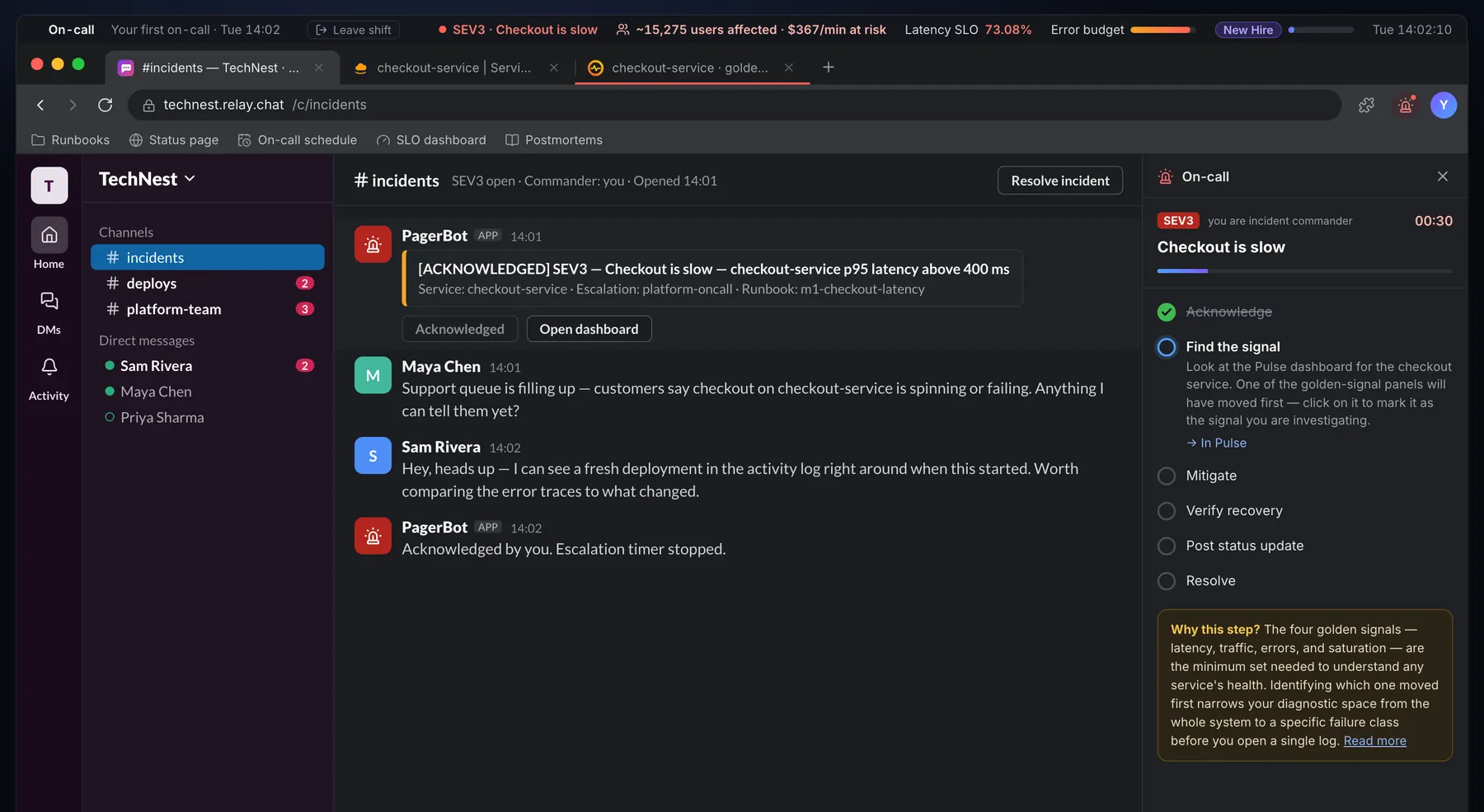
Triage under pressure
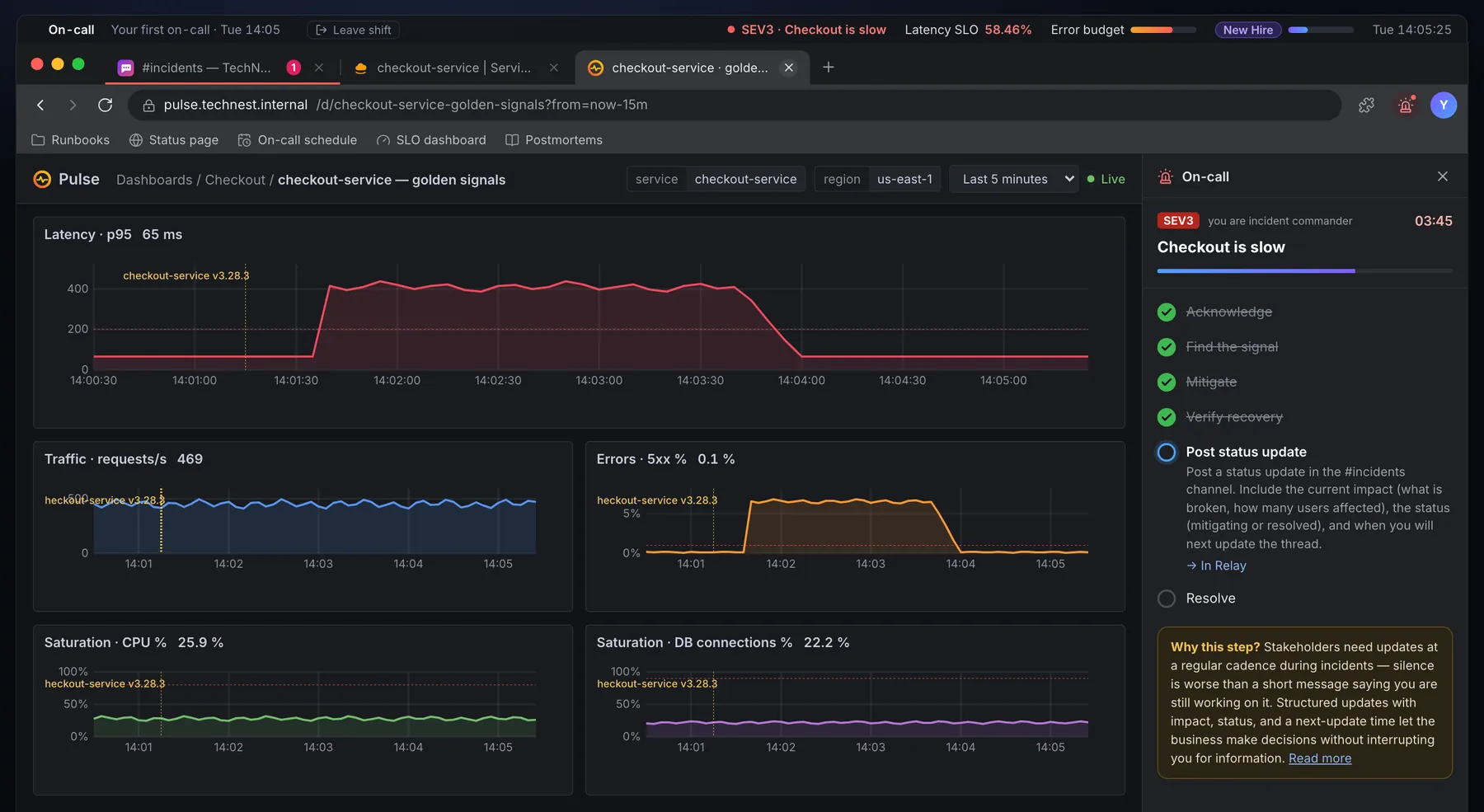
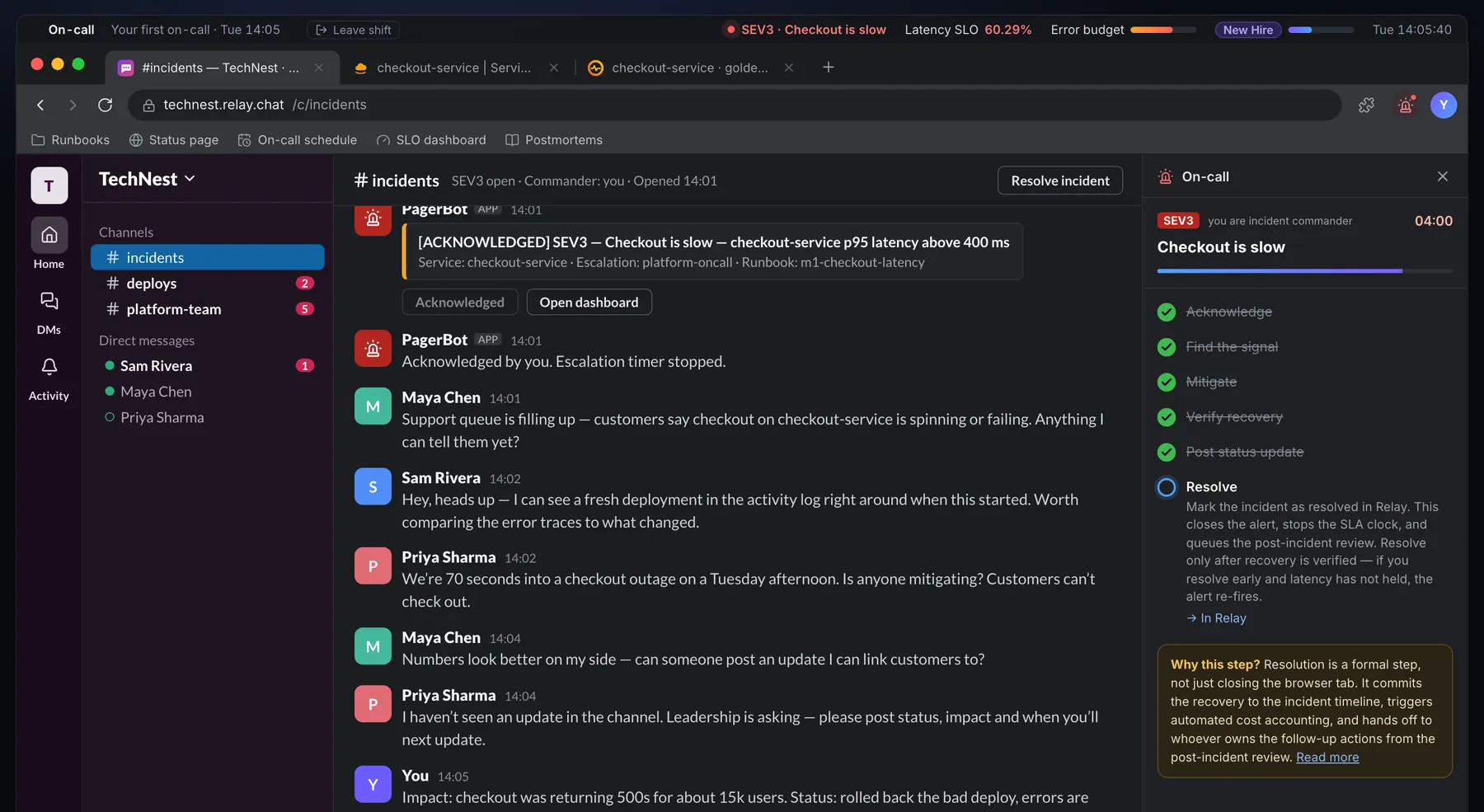
A vague alert, a support lead asking questions and a CTO asking for updates. Turn it into a hypothesis with the runbook beside them.
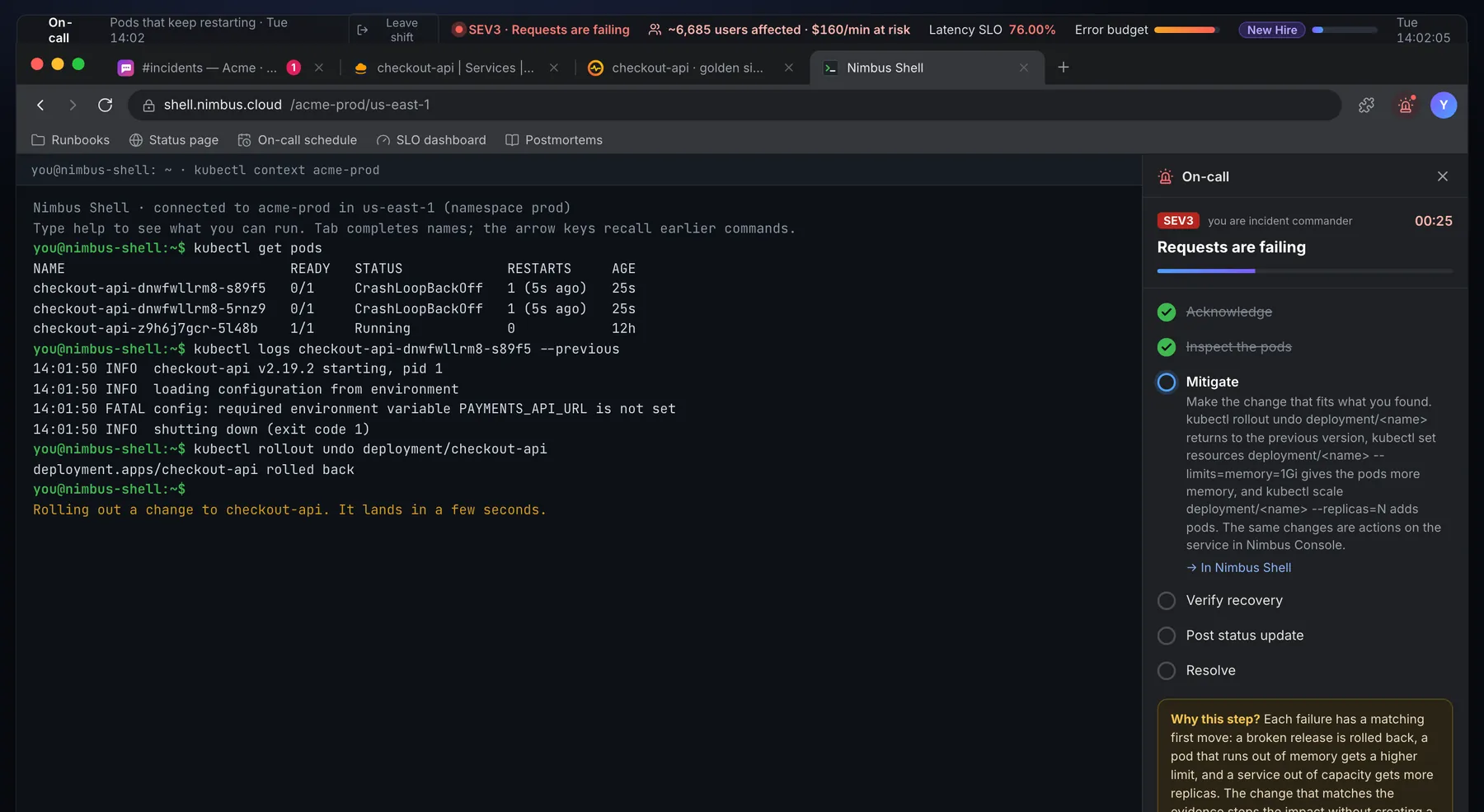
Act with real commands
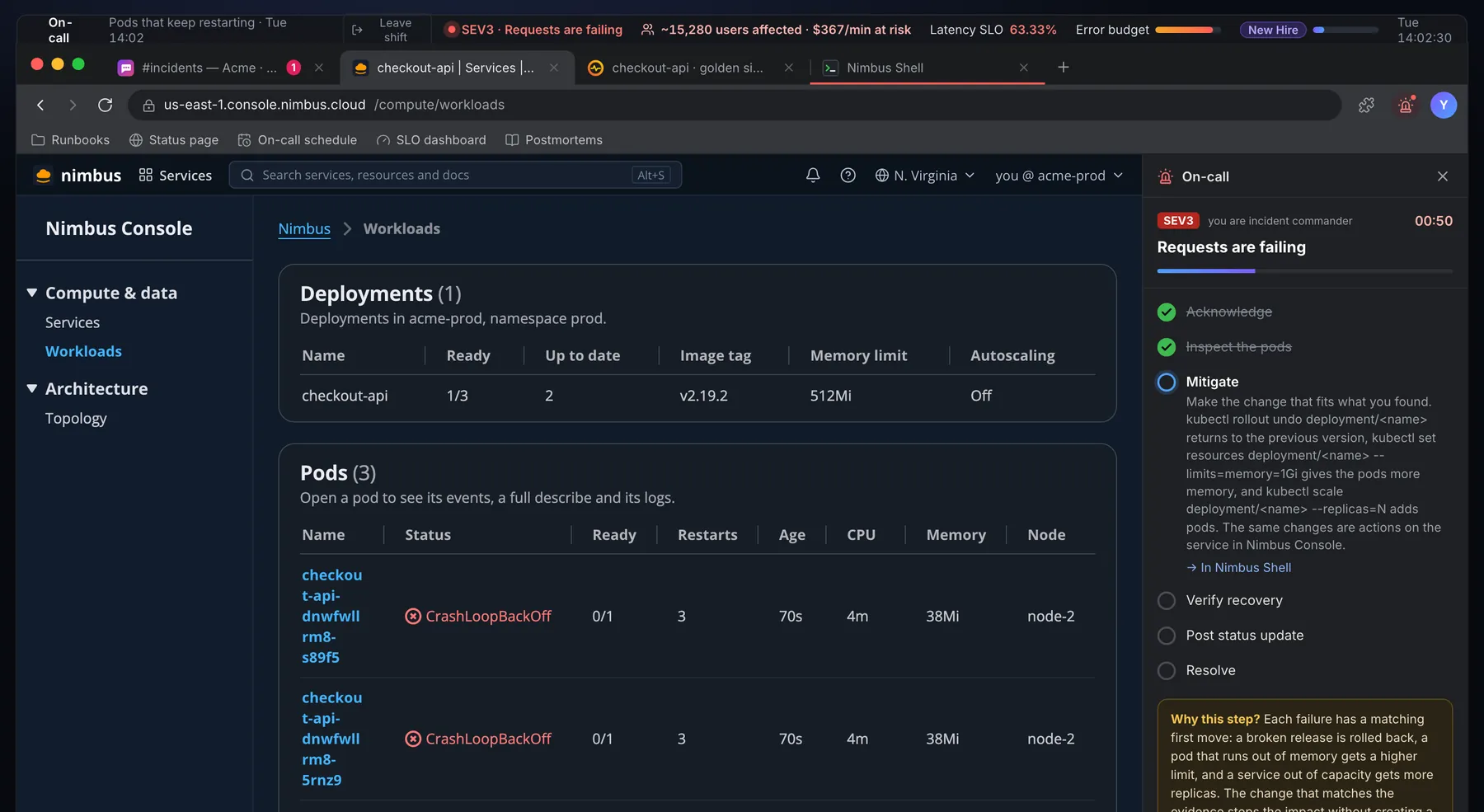
Rollbacks, scaling, memory limits and restarts from the console or kubectl. Each action takes time, and the wrong one makes it worse.
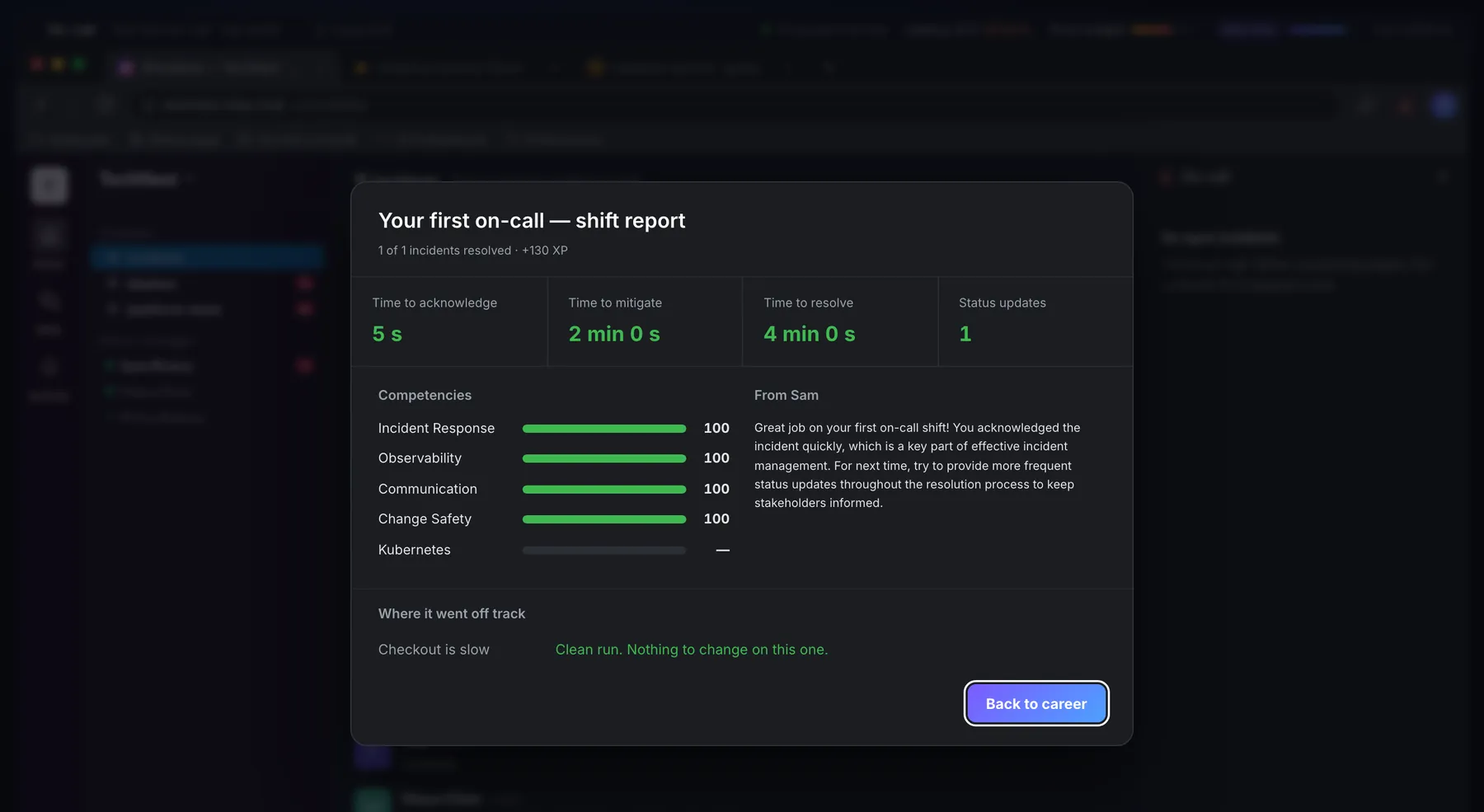
Debrief every shift
Time to acknowledge, mitigate and resolve, a score per competency, and the first step that left the ideal path. A team view for leads is in early access.
The Same Tools As Their First Rotation.
Chat, a golden-signals dashboard, a cloud console and a kubectl shell, all simulated in one browser tab.
Their First Rotation Shouldn't Be Their First Rotation.
Tell us about your team, or about the role you're hiring for.
Join early access →What It Feels Like.
Run An SRE Interview On A Live Incident.
Whiteboard questions test what someone has read. A live shift shows how they work: what they check first, whether they keep people informed, and whether they verify before they resolve. You can run this round today with the public game and a screen share.
- 1Send the link
No account and no install. The candidate opens the Workstation in a laptop browser.
- 2Pick a goal-only shift
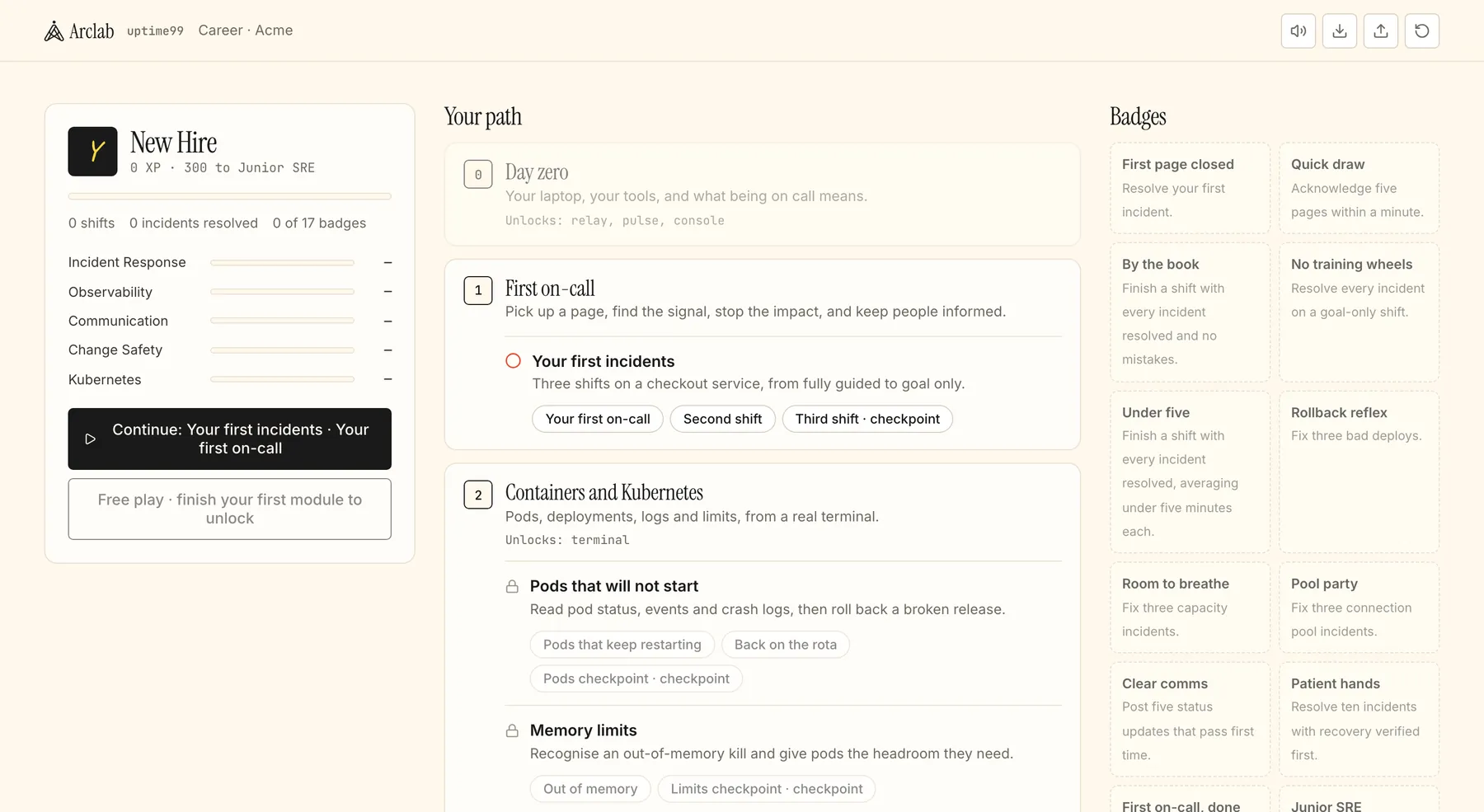
Third shift is a checkpoint: no coaching, and the root cause is drawn at random from a bad deploy, saturated capacity or an exhausted connection pool. It's open from a fresh start.
- 3Watch them think aloud
They share their screen and talk you through it: acknowledge, find the signal, mitigate, verify, update, resolve.
- 4Debrief together
The shift report shows time to acknowledge, mitigate and resolve, competency scores and the first step that left the ideal path. Ask why.
- 5Add a design round
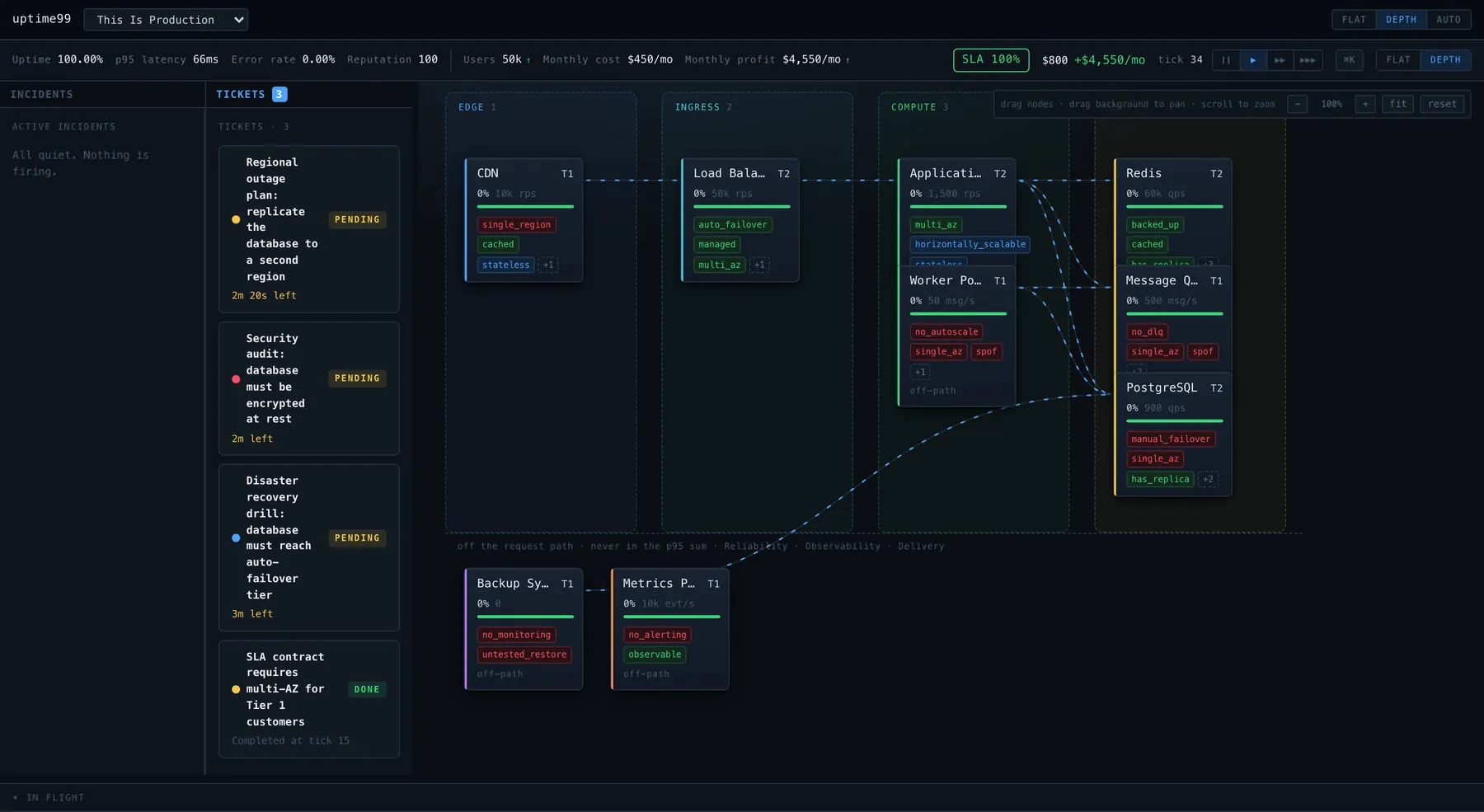
In Architect mode, open This Is Production and ask what they'd fix first: single points of failure, an untested restore, and a monthly budget.
| Watch for | Strong looks like | Competency |
|---|---|---|
| The first minute | Acknowledges, then reads the golden signals before touching anything | Incident Response |
| Finding the signal | Spots which panel moved first and lines it up with the deploy marker | Observability |
| Choosing a fix | Mitigates first with a rollback, more capacity or a bigger pool, and says why that one | Change Safety |
| Before resolving | Waits for latency to hold below the SLO instead of resolving on the first dip | Incident Response |
| Keeping people informed | Posts impact, status and a next-update time without being chased | Communication |
| Kubernetes (optional) | Uses get pods, describe and logs --previous before rolling back or raising limits | Kubernetes |
- There is no assessment mode yet: no candidate accounts, no results sent to you, no proctoring. Read the report on the shared screen or ask for a screenshot.
- Shifts are public, so a candidate can practice first. Treat the score as a conversation starter; a person makes the hiring decision.
- The Kubernetes checkpoints unlock after the first module. Have the candidate play it first, or export a profile from the career home for them to import.
Between A Tabletop And A Game Day.
| Feature | uptime99 | Tabletop exercise | Game day | Whiteboard interview |
|---|---|---|---|---|
| A system that reacts to what you do | - | - | ||
| No risk to production | - | |||
| Runs without organizing a team | - | - | ||
| Chat, dashboards, console and kubectl | - | - | ||
| The same shifts for every person | depends | - | depends | |
| Scored debrief | - | by hand | - |
Game days test your real systems and still matter. uptime99 is the rehearsal before them, and a round you can run in any interview loop.
For
SRE and platform teams
Onboard new on-call engineers with the same set of shifts for everyone.
Hiring managers and interviewers
A live incident round and a system design round, with a shared rubric.
Engineering managers
Fewer midnight escalations, and a clearer view of who is ready for the rota.
Reliability leads
A wheel-of-misfortune session that runs itself and keeps score.
Bootcamps and apprenticeships
A DevOps capstone where students run incidents, not just read about them.
Questions.
Can we use uptime99 in SRE or platform engineering interviews?
Yes, as a live exercise you run and watch: the candidate plays a goal-only shift over a screen share and you discuss the debrief. There is no assessment mode yet, so no candidate accounts, results delivery or proctoring.
What do candidates or trainees need?
A laptop or desktop browser. No account and no install.
How is this different from a game day?
A game day runs against real systems and takes a team to organize. uptime99 shifts run in the browser, any time, with no risk to production, and come with a scored debrief.
Can it run our wheel of misfortune?
It can run one for you: pick a shift, put someone on call, and the game plays the incident, the teammates and the scoring.
What is available today?
Ten on-call shifts across a first on-call arc and a Kubernetes arc, five Architect levels plus free play, and 51 incident types. A team view for leads is in early access.
Does it cover postmortems and SLOs?
Every shift tracks a latency SLO and an error budget, and ends with a debrief. A postmortem-writing arc is planned, not built yet.
What does early access cost?
A flat monthly price per team, no per-seat fees. Confirmed before you commit.